
How AI Is Transforming 3D Video Creation and Animation
Click Here To Watch Video
Artificial intelligence is rapidly changing the world of 3D video creation and animation. Tasks that once required hours of manual work can now be completed in minutes with AI-assisted tools. From character creation and motion generation to rendering optimization and visual effects, artificial intelligence is helping creators work faster while opening new possibilities for artists, educators, marketers, filmmakers, and game developers.
While AI does not replace creativity, storytelling, or artistic vision, it has become a powerful assistant that can automate repetitive tasks and allow creators to focus more on design, performance, and visual communication.
For students at 3DArtSchool.org, understanding AI-powered workflows is becoming increasingly important as modern production pipelines continue to evolve.
What Is AI in 3D Video Creation?
Artificial intelligence in 3D video production refers to software systems that can learn patterns, automate tasks, generate content, and assist artists during various stages of the production process.
AI can help with:
- 3D modeling
- Character creation
- Animation generation
- Motion capture cleanup
- Texturing
- Rendering optimization
- Video editing
- Visual effects
- Voice generation
- Lip synchronization
Rather than replacing artists, AI often serves as a productivity tool that accelerates workflows.
The Traditional 3D Production Pipeline
Before examining AI's impact, it helps to understand the traditional 3D production process.
A typical production pipeline includes:
- Concept development
- Storyboarding
- 3D modeling
- Texturing
- Rigging
- Animation
- Lighting
- Rendering
- Editing
- Final delivery
Many of these stages traditionally required significant manual effort. AI is now helping accelerate nearly every step.
AI-Powered 3D Modeling
Creating detailed 3D models can be one of the most time-consuming parts of production. AI tools are helping artists generate models faster through intelligent automation.
Modern AI modeling systems can:
- Generate basic shapes from text prompts
- Create environmental assets
- Assist with topology creation
- Suggest modeling improvements
- Speed up asset production
Artists still refine and customize the results, but AI can dramatically reduce the time needed to build initial models.
AI-Assisted Character Creation
Character creation often involves modeling, texturing, rigging, and facial setup. AI tools now help streamline many of these tasks.
AI can assist with:
- Character generation
- Facial feature creation
- Hair generation
- Skin texturing
- Automatic rigging
- Expression setup
This allows creators to build production-ready characters much faster than traditional methods.
Automatic Rigging with AI
Rigging is often considered one of the more technical stages of animation production. Traditionally, artists manually build digital skeletons and control systems.
AI-powered rigging tools can:
- Detect character anatomy
- Place bones automatically
- Generate control systems
- Create facial rigs
- Reduce setup time
What once required hours or days can now be accomplished much more efficiently.
AI Animation Generation
Animation is one of the areas experiencing the most dramatic AI transformation.
Modern AI systems can generate movement based on:
- Text instructions
- Reference videos
- Motion capture data
- Character actions
- Predefined behavior systems
Examples include:
- Walking cycles
- Running animations
- Jumping actions
- Character gestures
- Basic interactions
Animators often use AI-generated motion as a starting point before refining the performance.
Motion Capture Enhancement
Motion capture technology records real human movement and transfers it to digital characters.
AI helps improve motion capture by:
- Removing noise
- Correcting errors
- Predicting missing data
- Smoothing movement
- Improving realism
This reduces cleanup work and improves overall animation quality.
AI Facial Animation
Facial animation is critical for emotional storytelling. AI tools can analyze speech, audio recordings, and facial performances to generate realistic facial movements.
AI-assisted facial systems can:
- Create lip synchronization
- Generate expressions
- Track facial motion
- Animate eyes and eyebrows
- Improve character performances
This technology is particularly valuable for educational videos, animated content, and virtual characters.
AI Texturing and Material Generation
Creating textures traditionally requires photography, painting, or procedural design. AI now helps generate detailed materials from simple instructions.
Examples include:
- Wood textures
- Stone surfaces
- Metal materials
- Fabric patterns
- Character skin details
- Environmental surfaces
AI-generated textures can accelerate production while maintaining visual quality.
AI Rendering Optimization
Rendering is often one of the most time-consuming stages of 3D production. AI technologies help reduce render times while preserving image quality.
Common AI rendering improvements include:
- Denoising
- Image reconstruction
- Sampling optimization
- Noise reduction
- Real-time rendering enhancements
These improvements allow creators to produce high-quality visuals more efficiently.
AI in Visual Effects
Visual effects artists use AI to enhance simulations, compositing, and scene generation.
AI can assist with:
- Smoke simulations
- Fire effects
- Water effects
- Particle systems
- Background generation
- Object tracking
This allows artists to spend more time refining creative details and less time on repetitive technical tasks.
AI Voice Generation and Narration
Many 3D videos require narration, dialogue, or character voices. AI-powered voice systems can generate natural-sounding speech from text.
Applications include:
- Educational videos
- Training programs
- Marketing content
- Character dialogue
- Interactive experiences
Human voice actors still provide the highest levels of performance and emotion, but AI offers useful alternatives for certain projects.
AI Video Editing Assistance
AI is also helping editors streamline post-production workflows.
AI editing tools can:
- Organize footage
- Suggest cuts
- Generate captions
- Balance audio
- Identify highlights
- Improve color consistency
This reduces editing time and improves production efficiency.
Benefits of AI for 3D Creators
AI offers several significant advantages.
- Faster production
- Lower costs
- Improved efficiency
- Reduced repetitive work
- Better accessibility for beginners
- Enhanced experimentation
- Greater creative flexibility
Artists can spend more time focusing on storytelling and visual design rather than repetitive technical processes.
Limitations of AI in 3D Animation
Despite its benefits, AI is not perfect.
Current limitations include:
- Lack of creative judgment
- Inconsistent output quality
- Limited emotional storytelling
- Need for human supervision
- Difficulty handling complex artistic decisions
AI can assist, but human artists remain essential for creating meaningful and emotionally engaging content.
Skills Future 3D Artists Should Develop
As AI continues to evolve, certain skills become even more valuable.
- Storytelling
- Art direction
- Character design
- Visual communication
- Creative problem solving
- Animation principles
- Project management
Artists who combine creative expertise with AI-assisted workflows will be especially valuable in future production environments.
Career Opportunities in AI-Assisted 3D Production
The growth of AI is creating new career paths, including:
- AI Animation Specialist
- Technical Artist
- Virtual Production Artist
- AI Workflow Designer
- 3D Content Creator
- Digital Media Producer
- Interactive Experience Designer
Understanding both traditional animation principles and AI tools can provide a significant competitive advantage.
The Future of AI and 3D Animation
Artificial intelligence will continue to improve modeling, animation, rendering, and content generation. Real-time production, virtual worlds, and interactive experiences are expected to benefit significantly from AI-driven technologies.
However, creativity, imagination, storytelling, and artistic vision will remain human strengths that technology cannot fully replace.
Final Thoughts
AI is transforming 3D video creation and animation by automating technical tasks, accelerating production, and helping creators work more efficiently. From modeling and rigging to animation and rendering, artificial intelligence is becoming a valuable partner in modern production pipelines.
For students and professionals alike, the most successful approach is not choosing between AI and creativity—it is learning how to combine them. Artists who embrace AI while continuing to develop storytelling, design, and animation skills will be well positioned for the future of digital content creation.
The future of 3D animation is not human versus machine. It is humans and intelligent tools working together to create experiences that are more engaging, immersive, and visually stunning than ever before.
3D Video Creation Related Articles
From Storyboard to Screen: The Complete 3D Video Production Process
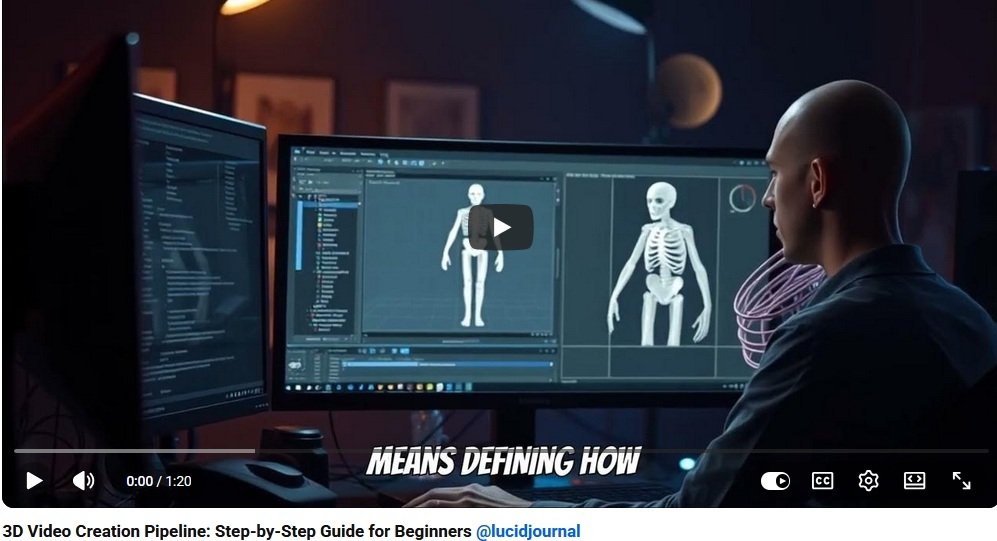
Creating a professional 3D video is not just about opening animation software and moving objects around the screen. A successful 3D video follows a clear production process that begins with an idea and ends with a polished final video. This journey is often called the 3D video production pipeline.
Whether you want to make animated short films, product videos, educational animations, game cinematics, architectural walkthroughs, or social media content, understanding the full process will help you create better results with less confusion.
What Is the 3D Video Production Process?
The 3D video production process is the step-by-step workflow used to plan, build, animate, render, and edit a final 3D video. Each stage prepares the project for the next stage.
The main stages include:
- Concept development
- Script writing
- Storyboarding
- Asset planning
- 3D modeling
- Texturing and materials
- Rigging
- Animation
- Lighting
- Rendering
- Editing and sound
- Final export
Step 1: Develop the Concept
Every 3D video starts with a concept. This is the main idea behind the video. Before creating models or animations, decide what the video should communicate.
Ask yourself:
- What is the purpose of the video?
- Who is the target audience?
- What message should viewers remember?
- Should the tone be fun, dramatic, educational, futuristic, or emotional?
- How long should the video be?
A strong concept gives direction to the entire project.
Step 2: Write the Script
A script organizes the story, narration, dialogue, and visual action. Even a short 3D video benefits from a simple written outline.
A script may include:
- Scene descriptions
- Character dialogue
- Narration
- Camera notes
- Action descriptions
- Sound effect notes
For beginners at 3DArtSchool.org, a short script is usually best. A focused 30-second animation can teach more than a long project that never gets finished.
Step 3: Create the Storyboard
A storyboard is a visual plan for the video. It shows each major shot using drawings, rough sketches, or digital panels.
Storyboards help plan:
- Camera angles
- Scene order
- Character movement
- Object placement
- Timing
- Transitions
- Visual storytelling
The storyboard acts like a map. It helps you see the whole video before production begins.
Step 4: Build an Animatic
An animatic is a rough video version of the storyboard. It places storyboard images in sequence with temporary timing, music, narration, or sound effects.
An animatic helps test:
- Pacing
- Shot length
- Story clarity
- Scene transitions
- Audience flow
Many production problems can be solved at the animatic stage before expensive modeling and animation work begins.
Step 5: Plan the 3D Assets
Before creating the final scenes, list all the digital assets needed for the video.
Assets may include:
- Characters
- Props
- Vehicles
- Buildings
- Furniture
- Background elements
- Environments
- Special effects
An asset list keeps the project organized and helps prevent missing pieces later in production.
Step 6: Create the 3D Models
3D modeling is the stage where artists create the objects, characters, and environments used in the video.
Models can be simple or complex depending on the project. A product video may require one detailed object, while an animated short may require characters, rooms, props, and outdoor environments.
Strong models should have clean geometry, good proportions, and appropriate detail for the video style.
Step 7: Add Textures and Materials
Textures and materials give 3D models their surface appearance. They help objects look like metal, glass, wood, cloth, skin, stone, plastic, or painted surfaces.
Material settings may control:
- Color
- Shine
- Roughness
- Reflection
- Transparency
- Bump details
- Surface patterns
This stage makes the digital world feel richer and more believable.
Step 8: Rig Characters and Moving Objects
Rigging adds control systems to models so they can move. Characters need skeletons and animation controls. Mechanical objects may need hinges, rotating parts, or sliding pieces.
Rigging allows animators to control:
- Arms and legs
- Hands and fingers
- Facial expressions
- Eyes
- Vehicles
- Machines
- Product parts
A good rig makes animation smoother and easier.
Step 9: Animate the Scene
Animation brings the project to life. Animators create movement using keyframes, motion paths, simulations, or motion capture.
Animation may include:
- Character movement
- Facial expressions
- Camera movement
- Product rotation
- Vehicle motion
- Environmental effects
- Logo animation
The goal is not just movement. The goal is meaningful movement that supports the story.
Step 10: Add Lighting
Lighting controls mood, depth, realism, and visual focus. A well-lit scene looks more professional and helps guide the viewer’s eye.
Lighting choices can create a scene that feels:
- Warm and friendly
- Dark and dramatic
- Bright and educational
- Futuristic
- Realistic
- Fantasy-inspired
Good lighting can dramatically improve the quality of a 3D video.
Step 11: Set Up Cameras
Camera placement affects how viewers experience the scene. In 3D software, virtual cameras work like real cameras but can move freely through digital space.
Camera decisions include:
- Shot angle
- Lens length
- Movement
- Framing
- Focus
- Composition
Strong camera work helps create cinematic storytelling.
Step 12: Render the Video
Rendering converts the 3D scene into finished frames. During rendering, the computer calculates lighting, shadows, reflections, textures, camera effects, and motion.
Rendering can be time-consuming, so test renders are important before final output.
Render settings may include:
- Resolution
- Frame rate
- Lighting quality
- Shadow quality
- Motion blur
- Output format
Step 13: Edit the Final Video
After rendering, the video moves into editing. Editing combines shots, adjusts pacing, adds sound, and prepares the final presentation.
Editing may include:
- Cutting scenes
- Adding transitions
- Music
- Voice-over
- Sound effects
- Titles
- Color correction
Editing is where all the pieces come together into a polished finished video.
Step 14: Export for the Right Platform
The final export should match where the video will be used. A YouTube video, website video, social media reel, online course lesson, and client presentation may require different formats.
Common export considerations include:
- Video resolution
- File size
- Aspect ratio
- Compression
- Audio quality
- Platform requirements
Always test the final video before publishing.
Common Beginner Mistakes
- Skipping the storyboard
- Starting with a project that is too large
- Using too many models
- Ignoring lighting
- Rendering without testing
- Forgetting sound design
- Not organizing project files
Most production problems can be avoided through planning and small test projects.
Final Thoughts
The complete 3D video production process takes a project from storyboard to screen through careful planning, modeling, animation, lighting, rendering, and editing. Each stage builds on the one before it.
For beginners, the best approach is to start small and complete simple projects. A short finished animation teaches the full pipeline better than an ambitious project that becomes overwhelming.
With practice, patience, and a clear workflow, students and creators can turn ideas into polished 3D videos that educate, entertain, inspire, and impress.
3D Video Creation Related Articles